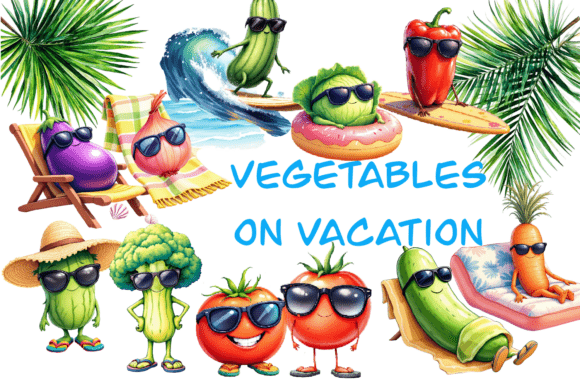
Vegatables 3D Illustrations for Creative Design Projects
Bringing Life to Visuals with 3D Vegetable Art
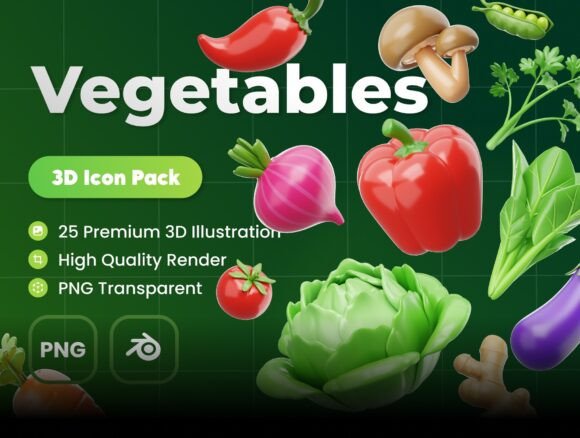
Designers and creators are constantly searching for tools that offer flexibility, visual appeal, and originality. Vegatables 3D Illustrations provide just that—an extensive collection of vegetable-themed 3D icons that can be used across a wide range of creative fields. Whether you're building a website, designing a presentation, or crafting an animation, these illustrations help you add a touch of realism and creativity without starting from scratch.
Each illustration is created with attention to detail, offering high-resolution images at 3000 x 3000px. They come in both Blender and PNG formats, making them compatible with various design software and workflows. The editable objects and colors allow for seamless customization, so you can match your brand or project style with ease.
Applications Across Design Disciplines
The versatility of Vegatables 3D Illustrations makes them ideal for multiple design applications. Here are just a few ways different creators can use them:
- Web Designers can integrate these visuals into landing pages, recipe blogs, or eco-conscious brand websites to enhance visual storytelling.
- UI/UX Designers can use the icons to create engaging mobile or desktop interfaces, especially for apps related to nutrition, cooking, or wellness.
- Marketers can incorporate the illustrations into promotional materials, social media posts, or email campaigns to highlight organic, healthy, or plant-based products.
- Presenters and Educators can use the icons in slides and infographics to make educational content more engaging and visually informative.
Customization That Fits Your Vision
One of the standout features of Vegatables 3D Illustrations is the ability to edit and adapt each asset. Whether you need to adjust colors to match a brand palette or tweak the shape of a vegetable for a specific animation, the Blender files give you full control. This flexibility ensures that your designs remain cohesive and unique, even when using pre-made assets.
For example, a food blogger could use the 3D illustrations to create animated recipe cards that pop on Instagram. A packaging designer might integrate them into mockups for organic produce labels. Even freelance illustrators can use these models as a base for more complex scenes, saving time while maintaining quality.
Stylistic Possibilities and Creative Interpretations
While the illustrations are realistic by default, they can be adapted to fit different artistic styles. You can render them with soft pastel tones for a minimalist aesthetic, or apply bold, saturated colors for a vibrant, cartoonish look. The clean geometry of the models makes them suitable for both photorealistic and stylized projects.
Consider using them in the following creative ways:
- Create a 3D infographic about the nutritional value of vegetables for a health-focused website.
- Design a playful children's book about vegetables using whimsical color schemes and exaggerated expressions.
- Build a dynamic animation for a cooking tutorial that shows vegetables being sliced, diced, and cooked in real time.
Who Can Benefit from These Illustrations?
Whether you're a seasoned professional or just starting out, Vegatables 3D Illustrations offer something for everyone. Here's how different users can make the most of them:
- Freelancers can use the assets to speed up client projects while maintaining high quality.
- Entrepreneurs launching a new line of organic products can use the visuals in packaging, ads, and digital content.
- Bloggers and Content Creators can enhance their visual storytelling with eye-catching images that stand out in crowded feeds.
- Educators and Presenters can simplify complex topics by incorporating clear, engaging visuals into their materials.
How to Use Vegatables 3D Illustrations Effectively
While the illustrations are easy to use, a few best practices can help you get the most from them:
- Stay Consistent: When using multiple icons, maintain a consistent lighting setup and color scheme to keep your design unified.
- Balance Realism and Style: Don’t be afraid to stylize the models to fit your overall design direction. Sometimes simplifying textures or colors can make visuals more effective.
- Use Smart Compositions: Arrange the vegetables in a way that guides the viewer’s eye and supports the message you’re trying to convey.
- Optimize for Performance: If you're using the illustrations on a website or app, consider optimizing the file size to maintain fast load times without sacrificing quality.
Inspiration for Your Next Project
If you're looking for ideas to spark your next design, here are a few concepts that highlight the potential of Vegatables 3D Illustrations:
- Design a weekly meal planner app with illustrated icons for each ingredient.
- Create a series of animated cooking tips for TikTok or YouTube using rotating 3D veggies.
- Develop a colorful infographic for a farmer’s market brochure or website.
- Build a 3D menu for a vegetarian restaurant with lifelike vegetable renderings.
Ready to Elevate Your Visuals?
Vegatables 3D Illustrations are more than just icons—they're a toolkit for creativity. With 25 unique models, high resolution, and full editability, they empower you to bring fresh, engaging visuals to your work. Whether you're designing for digital or print, personal or professional use, these illustrations are a valuable addition to your creative resources.
If you have any questions or need help integrating these assets into your workflow, feel free to reach out. With the right tools and a bit of imagination, you can turn everyday vegetables into compelling visual stories. Enjoy exploring the possibilities!